
Stopping Open DNS - ZyXEL P660R-D1: Difference between revisions
Content deleted Content added
No edit summary |
|||
| Line 1: | Line 1: | ||
[[File:P660rd1.png|link=Router - ZyXEL P660R-D1]] |
[[File:P660rd1.png|link=Router - ZyXEL P660R-D1]] |
||
The factory setting for this router is for DNS to be open on the WAN. This will be changed when configured by AAISP, but if it is configured from new, or reset, then WAN side DNS will need to be disabled. This can be done from the web interface |
The factory setting for this router is for DNS to be open on the WAN. This will be changed when configured by AAISP, but if it is configured from new, or reset, then WAN side DNS will need to be disabled. This can be done from the web interface and '''setting DNS to WAN Only'''. Go to: |
||
Advanced - Remote MGMT - DNS - LAN Only |
Advanced - Remote MGMT - DNS - LAN Only |
||
Revision as of 08:56, 27 June 2013
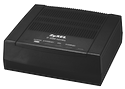
The factory setting for this router is for DNS to be open on the WAN. This will be changed when configured by AAISP, but if it is configured from new, or reset, then WAN side DNS will need to be disabled. This can be done from the web interface and setting DNS to WAN Only. Go to:
Advanced - Remote MGMT - DNS - LAN Only

Or from the CLI (telnet):
sys server load
sys server access dns 2
sys save
This also applies to the P-660HW-T1 v2 Router