
Webmail: Difference between revisions
No edit summary |
No edit summary |
||
| Line 14: | Line 14: | ||
==Login page:== |
==Login page:== |
||
[[File:Email-webmail-login.png|none|400px|thumb|Webmail Login Page]] |
:[[File:Email-webmail-login.png|none|400px|thumb|Webmail Login Page]] |
||
You can use either, simply use your email address and password to login. |
You can use either, simply use your email address and password to login. |
||
| Line 31: | Line 31: | ||
As of October 2012, the Rouncube interface looks like this: |
As of October 2012, the Rouncube interface looks like this: |
||
[[File:Email-rouncube-interface.png|none|400px|thumb|Roundcube interface]] |
:[[File:Email-rouncube-interface.png|none|400px|thumb|Roundcube interface]] |
||
There are some nice features of Roundcube that may not be apparent straight away, such as: |
There are some nice features of Roundcube that may not be apparent straight away, such as: |
||
| Line 44: | Line 44: | ||
SquirrelMail looks like this: |
SquirrelMail looks like this: |
||
[[File:Email-squirrelmail-interface.png|none|400px|thumb|SquirrelMail interface]] |
:[[File:Email-squirrelmail-interface.png|none|400px|thumb|SquirrelMail interface]] |
||
Using Squirrelmail should be self-explanatory, however there are some (brief) instruction on the [http://squirrelmail.org/docs/user/user.html SquirrelMail website]. |
Using Squirrelmail should be self-explanatory, however there are some (brief) instruction on the [http://squirrelmail.org/docs/user/user.html SquirrelMail website]. |
||
Revision as of 12:02, 31 October 2012
Choice
With webmail you can access your email from anywhere with a web browser, all you'll need is your email address and password. AAISP provide 2 webmail clients:
- RoundCube
- SquirrelMail
Roundcube is a more 'modern' client, where as SquirrelMail is simpler and more lightweight.
You can use either of them, take a look and see which you prefer.
To access go to mail.your-domain
For example, if your domain is testing.me.uk, then the URL would be https://mail.testing.me.uk
Login page:
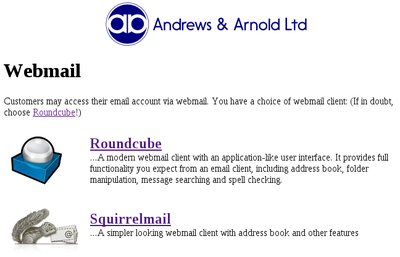
Webmail Login Page

You can use either, simply use your email address and password to login.
Log out afterwards You should always logout after using webmail so as to make sure that nobody else using the same computer will be able to access your email.
Difference Between Webmail and a Desktop Client
By using webmail, you are connecting to your email by using IMAP - this means that your email stays on the server, and can then be seen by your usual email program.
If your usual email program uses POP3 then that usually means that your email program downloads email from our servers and they are then removed from the server - in this case the only email that you'll see on webmail would be emails that havn't yet been seen by your email program.
We would suggest that you use IMAP on all your email programs, this way all your folders and emails will be seen by all your email programs and webmail.
Roundcube
As of October 2012, the Rouncube interface looks like this:
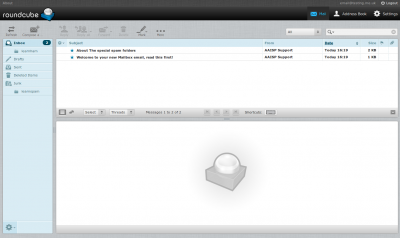
Roundcube interface

There are some nice features of Roundcube that may not be apparent straight away, such as:
- Ability to drag emails in to folders
- Right-click menu
- Keyboard short-cuts (see the keyboard icon in the centre for details)
- Ability to add multiple identities (under the settings)
There are some further instructions on the Roundcube website.
SquirrelMail
SquirrelMail looks like this:
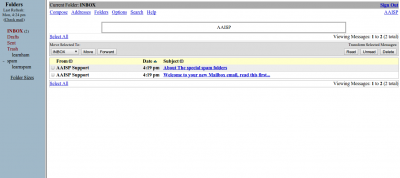
SquirrelMail interface

Using Squirrelmail should be self-explanatory, however there are some (brief) instruction on the SquirrelMail website.