
Help Choosing A Router: Difference between revisions
mNo edit summary |
mNo edit summary |
||
| Line 13: | Line 13: | ||
|-align="center" |
|-align="center" |
||
| |
| |
||
|[[Image:ZyXELvmg1312.png|link=:Category:ZyXEL_VMG1312]] |
|[[Image:ZyXELvmg1312.png|100px|link=:Category:ZyXEL_VMG1312]] |
||
|[[File:DSL 320B D1.png|link=Router - DLINK 320B]] |
|[[File:DSL 320B D1.png|link=Router - DLINK 320B]] |
||
|[[File:P660rd1.png|link=Router - ZyXEL P660R-D1]] |
|[[File:P660rd1.png|link=Router - ZyXEL P660R-D1]] |
||
| Line 19: | Line 19: | ||
|- |
|- |
||
!Description |
!Description |
||
!4 port, wifi, FTTC, ADSL |
!4 port, wifi, FTTC, ADSL, Bridge modem |
||
!PPPoE Bridge Modem, ADSL |
!PPPoE Bridge Modem, ADSL |
||
!Single port basic router, ADSL |
!Single port basic router, ADSL |
||
| Line 43: | Line 43: | ||
!Not so good points for: |
!Not so good points for: |
||
| |
| |
||
There are a few minor [VMG1312:_Bugs|bugs] that we're aware of and working with ZyXEL to fix |
|||
User interface a little quirky and buggy if you want to deviate from the standard configuration |
|||
| |
| |
||
Don't use it for anything but a bridge! |
Don't use it for anything but a bridge! |
||
Revision as of 15:08, 19 May 2015
What would AAISP recommend as a router/Modem?
AAISP customers are free to use their own routers if they wish. This is a table of the routers/modems that AAISP sell, and their features.
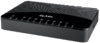
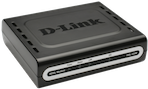
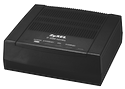
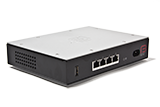
| ZyXEL VMG1312 | DLINK 320B | ZyXEL P660R-D1 | FireBrick 2500/2700 | |
|---|---|---|---|---|
|
|
|
| |
| Description | 4 port, wifi, FTTC, ADSL, Bridge modem | PPPoE Bridge Modem, ADSL | Single port basic router, ADSL | 4 port Ethernet Router/Firewall etc. |
| Ideal for: |
|
|
|
|
| Not so good points for: |
There are a few minor [VMG1312:_Bugs|bugs] that we're aware of and working with ZyXEL to fix |
Don't use it for anything but a bridge! |
Steeper learning curve, as you'd probably expect from a router of this level (but A&A can help support) | |
| Configured by AAISP |  |
|
|
Sometimes an extra charge is applied |
| ADSL/ADSL2+ | |
|
|
Will require a Modem, such as the DLINK |
| FTTC | |
| ||
| Ethernet Service | | |||
| Use with your own PPPoE router
(Bridge mode) |
|
|
We prefer the DLINK as a bridge due to MTU limitations (they drop packets above 1504 bytes) |
|
| Built in WiFi | |
|||
| Native IPv6 | |
n/a (as used as a bridge) | | |
| Built in FireWall | |
| ||
| Notes |
|
Typical Scenarios
Or, maybe these typical scenarios will help you decide:
| Your Scenario | Our Suggestion | |
|---|---|---|
| I'm a home user, wanting wifi and wired connections for ADSL or FTTC | 
|
Technicolor 582n |
| I have my own routerboard or similar router with ADSL | 
|
DLINK DSL 320B.
In bridge mode, your router can then talk PPPoE to it. |
| I'd like to do bonding with ADSL/FTTC/FTTP | 
|
FireBrick 2500
Use a DLINK modem if you have ADSL lines. Or use a 2700 of you have faster lines and may want fallback to 3G. |
You can always use your own equipment, that's fine too!